Fun robots · Top list
Best coding robots for kids
Our verdict
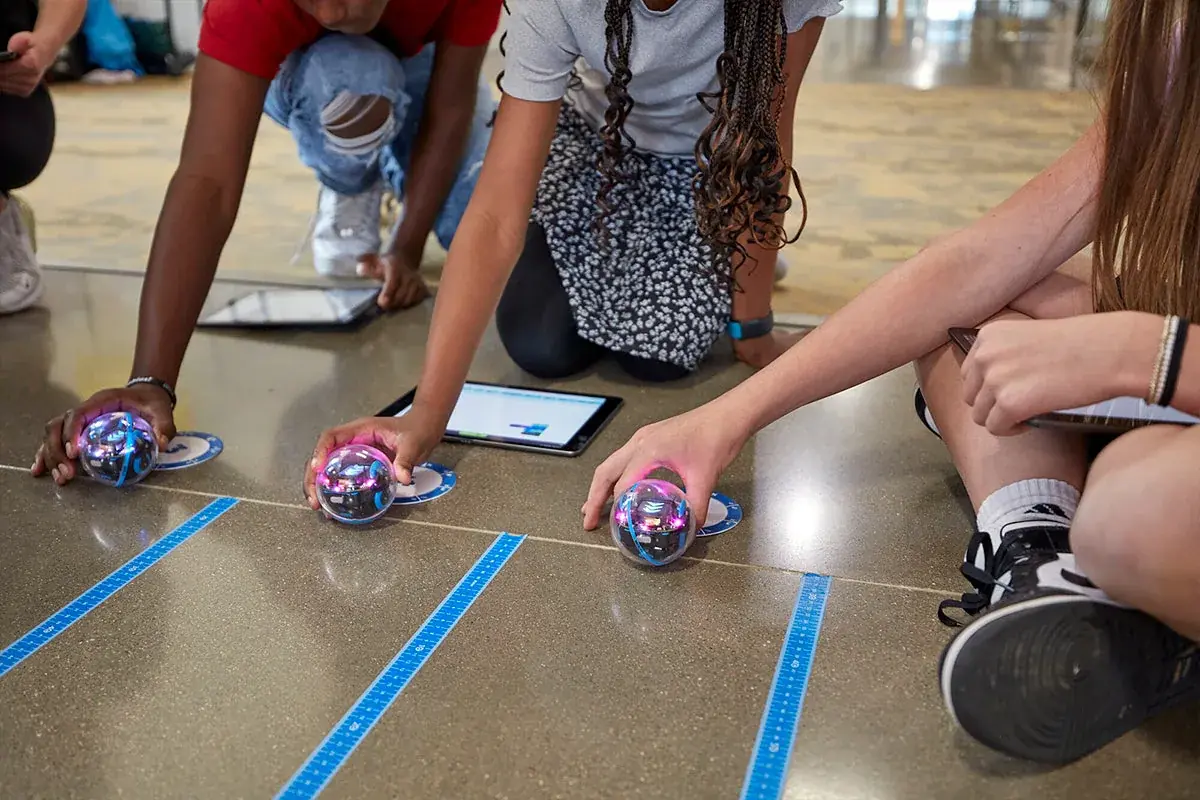
Buy the Sphero BOLT+ ($199 on sphero.com, seen Nov 4, 2026) for a child of 8 or older. It starts with drawing and blocks, goes all the way to JavaScript and Python, and is the robot teachers in owner threads name when asked which one a kid won't outgrow. For ages 4 to 7, get the screen-free Sphero indi ($150). For a kid who wants to build the robot first, get the Makeblock mBot2 ($149.99). Owners report the same thing about every robot here: kids get bored in a week or two unless an adult sits down with them and sets challenges. Plan that time in when you buy one as a gift.
Which one should you buy?
Store links on this page are not affiliate links; we earn nothing from them. If we join a brand's program, its links get marked as sponsored and we may earn a commission. That never changes our verdicts. How store links work here.
1Best overall, ages 8 to 14
Sphero BOLT+
Best for: Kids 8 and up who should be able to go from blocks to typed code on the same robot, families who want one robot for several years
$199 at sphero.com, seen Nov 4, 2026Single robot. The original BOLT is still listed at $179; the class packs on the same page cost far more, so pick "Single Robot" at checkout. Check price at Sphero
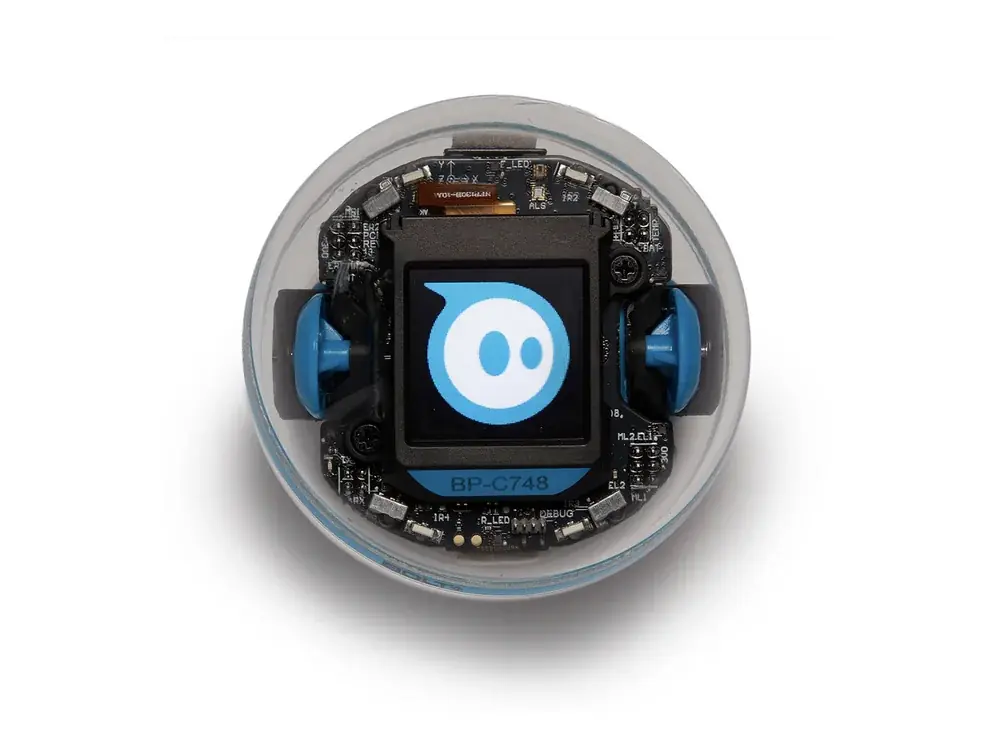
The robot with the longest runway. Sphero sells BOLT+ for grades 3 to 10, and the free Sphero Edu app moves from drawing a path to drag-and-drop blocks to JavaScript and Python, so the same ball is still useful at 13. It has a 128 x 128 screen you can code, light and compass sensors, a waterproof shell and wireless charging. A STEM teacher in a parents thread called it the pick with the highest ceiling. The catch for younger kids: a Sphero owner thread says a 7-year-old needs a parent alongside to get much out of it, and the battery is sealed, so it can't be swapped when it ages.
Buy it if
- Your child is 8 or older, or a younger kid who already reads well
- You want blocks now and real JavaScript or Python later
- It may get passed down to a younger sibling
Skip it if
- Your child is under 7 and will play alone
- You want a robot that builds or changes shape
Key specs
| Ages (company claim) | Grades 3 to 10 |
|---|---|
| Coding | Draw, Blocks, JavaScript and Python in the free Sphero Edu app |
| Screen | 128 x 128 LCD you can program |
| Battery (company claim) | 6 to 8 hours of use; Qi wireless charging |
| Build | Waterproof sphere, 2.87 in |
| Needs | Phone, tablet or computer |
Maker figures are company claims.
What owners say
Praise: the highest ceiling of any kids coding robot in teacher and parent threads, easy Draw and Blocks start. Complaints: under-8s need a parent next to them; the battery is sealed; some first-setup pairing trouble.
Praise
- A STEM teacher in a parents thread says BOLT+ has the highest ceiling of the coding robots they use
- Owners in a Sphero thread say the Draw and Blocks modes are the easy way in
Complaints
- A Sphero owner thread says a 7-year-old needs a parent's help to get far with BOLT
- Reviewers note the battery is sealed and can't be replaced by the owner
- One review notes app pairing quirks on first setup
Summarized from: r/daddit: Anybody buy their kids a coding robot? · r/Sphero: Which should I buy for my seven year old? · Sphero support: BOLT vs BOLT+ · The Toy Audit: Sphero BOLT+ research notes
2Best screen-free start, ages 4 to 7
Sphero indi
Best for: Preschoolers and kids in kindergarten to second grade, families that want coding without a tablet
$150 at sphero.com, seen Nov 4, 2026Single Student Kit (1 robot, color tiles, challenge cards, case). The class packs on the same page cost $1,500 and up. If you are buying for a holiday date, check the shipping estimate on the page before ordering. Check price at Sphero
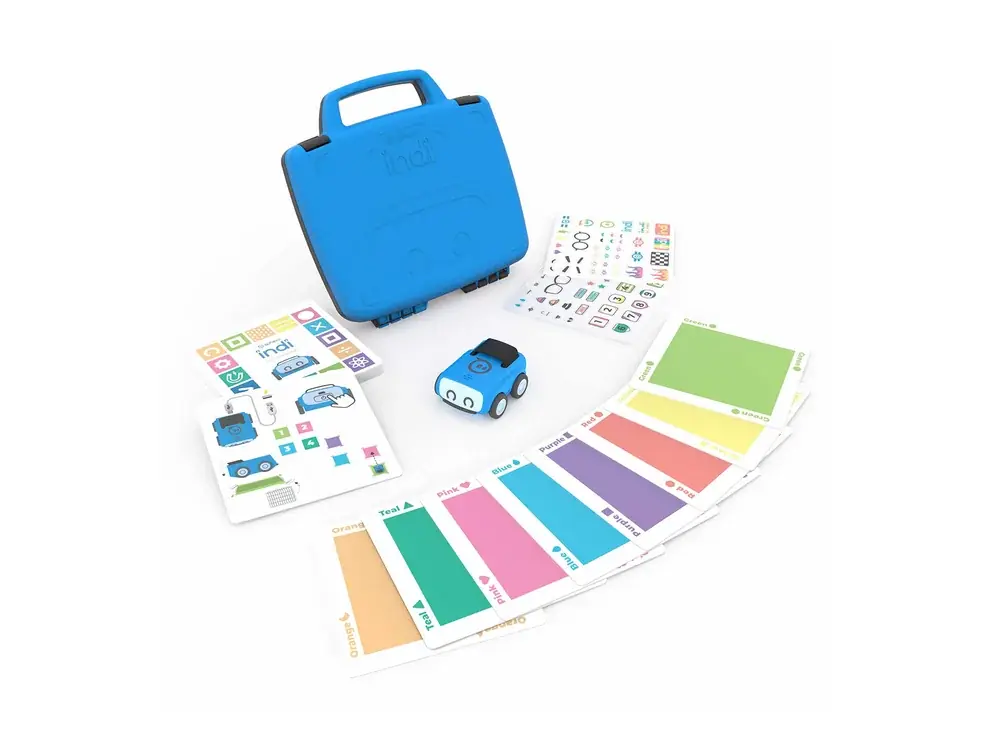
The easiest robot here for a child who can't read yet. Kids lay colored tiles on the floor and indi, a small car, reads each one as an instruction: go, turn, speed up, stop. Later the Sphero Edu Jr app lets them change what each color means with simple blocks. Owners on r/Sphero call it the easiest Sphero for young kids, and a K-2 teacher thread backs Sphero as easy. The limit is how far it goes. A parent on r/Sphero asked whether it can do loops or conditions before buying for a 6-year-old, and the honest answer is not really. Most kids move on by 7 or 8, which is when BOLT+ or Dash makes sense.
Buy it if
- Your child is 4 to 7
- You want coding with no screen to start
- Two kids will share it
Skip it if
- Your child is 8 or older
- You want typed code later on the same robot
Key specs
| Ages (company claim) | Pre-K and up |
|---|---|
| Coding | Color tiles (no screen), then blocks in the free Sphero Edu Jr app |
| Sensors | Color sensor under the car |
| Battery | Rechargeable over USB |
| In the box | Robot, color tiles, challenge cards, carry case |
| Needs | Nothing to start; a phone or tablet for the app |
Maker figures are company claims.
What owners say
Praise: a pre-reader can use it alone, and it is the easiest Sphero for young kids in owner threads. Complaints: no real loops or conditions, so older kids outgrow it.
Praise
- Owners on r/Sphero call it the easiest Sphero for younger kids
- A K-2 robotics teacher thread recommends Sphero as fun and easy
Complaints
- A parent asks whether it can do loops and conditions, and the app only remaps what each color does
- Most kids move on to a block-coding robot by 7 or 8
Summarized from: r/Sphero: Can indi be programmed with loops and conditions? · r/Sphero: Which should I buy for my seven year old? · r/robotics: Best robot for a K-2 classroom?
3Best to build yourself, ages 8 and up
Makeblock mBot2
Best for: Kids who like Lego or taking things apart, tweens heading toward Python, a parent and child project
$149.99 at makeblock.com, seen Nov 4, 2026Single robot, listed against $177.99. Makeblock also lists a Standard Coding Box as a free gift with it on Nov 4, 2026. The Smart World bundle is $229.99 and the Rover kit $259.99. Check price at Makeblock
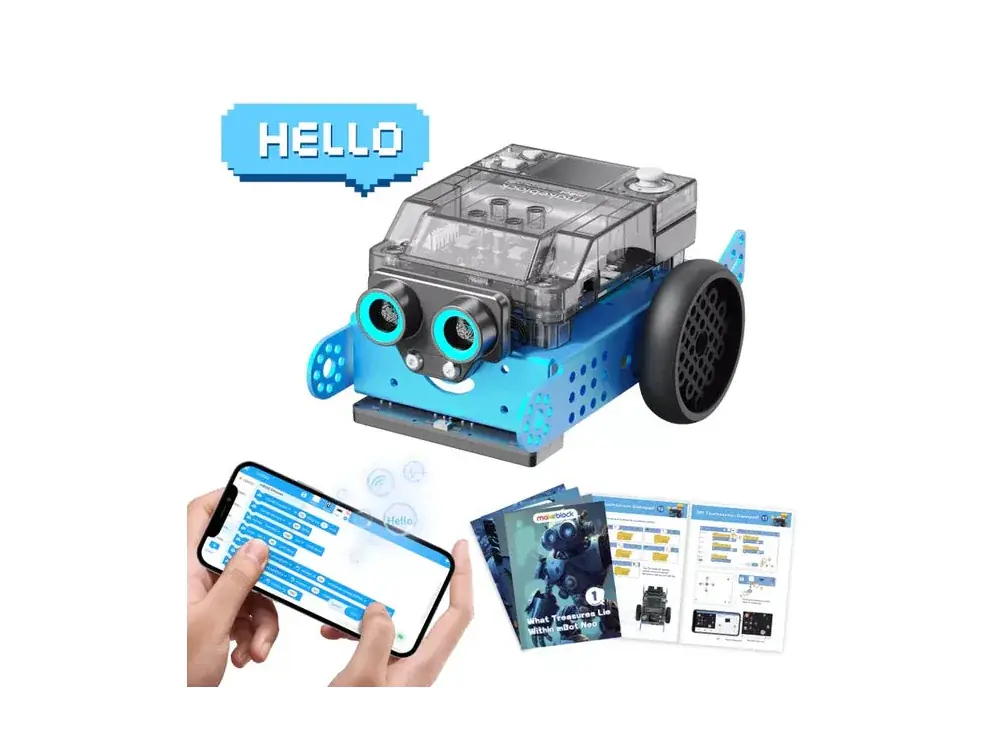
The pick for a kid who wants to build the robot, not just program it. mBot2 comes as an aluminum kit that Makeblock says takes about 30 minutes to put together, and then it codes in mBlock with Scratch-style blocks, Python or Arduino C. A teacher who reviewed it at home says her 12-year-old built it alone from the picture instructions. It has a small screen, line and color sensors and an ultrasonic sensor for obstacles. The trade-off: the lessons assume an adult nearby for kids under 10, and the Rover upgrade and add-ons are where the cost climbs.
Buy it if
- Your child likes to build things
- They are 10 or older, or 8 with a parent to help
- You want a path to Python and Arduino
Skip it if
- Your child is under 8
- You want something to play with straight out of the box
Key specs
| Ages (company claim) | 8 and up |
|---|---|
| Coding | Blocks and Python in mBlock, plus Arduino C/C++ |
| Brain | CyberPi controller with a color screen |
| Battery (company claim) | 2,500 mAh, about 5 hours of play, 1 hour to charge |
| Build | Aluminum frame, about 30 minutes to assemble (company claim) |
| Needs | Computer, tablet or phone for coding |
Maker figures are company claims.
What owners say
Praise: kids 10 and up can build it themselves; sturdy metal frame; blocks to Python. Complaints: under-10s need an adult for the lessons; minor app connection issues.
Praise
- A teacher-parent says her 12-year-old assembled it alone and found the metal frame sturdy
- Reviewers like the path from blocks to Python on the same robot
Complaints
- The same reviewer says younger kids need adult guidance through the lessons
- The same reviewer noted minor connection issues with the app
Summarized from: What I Have Learned Teaching: Makeblock mBot2 review · Core Electronics: mBot2 and Rover kit overview
4Easiest app robot, ages 6 to 9
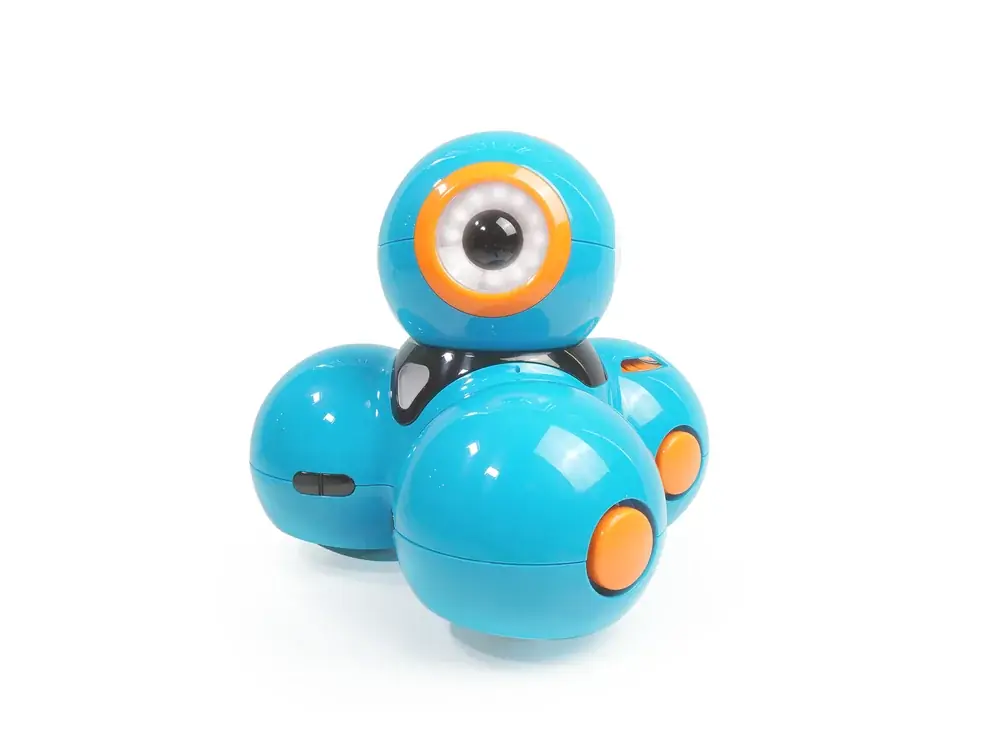
Wonder Workshop Dash
Best for: Kids 6 to 9 who want a robot with a face and a voice, families with an iPad or Android tablet
$189.99 at moravia-education.com, seen Nov 4, 2026Robot, USB charging cable and two building brick connectors. MORAVIA Education says it has acquired Wonder Workshop's assets, and makewonder.com now sends buyers to its store, so that is where the official price is. Check price at Wonder Workshop
The friendliest robot here. Dash looks like a character, talks, responds to voices and comes with puzzle apps that teach sequences, loops and events step by step. It has no camera, and Wonder Workshop says the tablet apps work without internet once installed. The problem owners describe is staying power. A dad on r/daddit says theirs was played with twice and then got boring, and an older review on r/robotics says kids mostly used line following and lights and sounds. Dash stops at blocks, so a child who loves it will want BOLT+ or mBot2 next. Also know that MORAVIA Education says it has acquired Wonder Workshop's assets, and Dash is now sold through its store.
Buy it if
- Your child is 6 to 9 and likes a robot with personality
- You want guided puzzles more than open-ended coding
- Privacy matters (no camera)
Skip it if
- Your child is 10 or older
- Nobody will set challenges after the first week
Key specs
| Ages (company claim) | 6 to 11 |
|---|---|
| Coding | Wonder and Blockly apps (blocks only) |
| Sensors | Three microphones, proximity sensors front and back |
| Camera | None |
| Apps | iOS, Android and Chrome; no internet needed on a tablet after install (company claim) |
| Needs | Tablet or computer |
Maker figures are company claims.
What owners say
Praise: kids like its lights, sounds and line following; guided puzzles. Complaints: some kids lose interest within days; blocks only.
Praise
- A reviewer on r/robotics says kids took to its line following, lights and sounds
- Wonder Workshop's apps teach sequences, loops and events with guided puzzles (company claim)
Complaints
- A dad says their kid played with it twice and then got bored
- A reviewer says kids mostly used line following and lights and sounds
- Blocks only, so older kids outgrow it
Summarized from: r/daddit: Anybody buy their kids a coding robot? · r/robotics: Review of Wonder Workshop's Dash
5Best for drawing and tabletop play
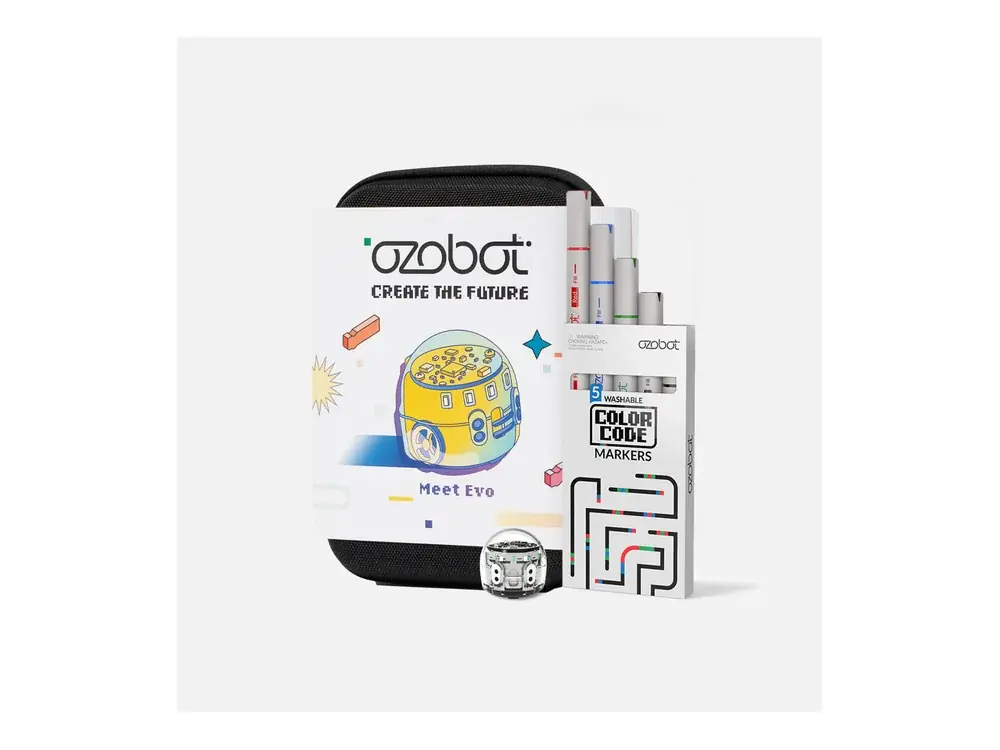
Ozobot Evo
Best for: Kids who like to draw, small spaces, classrooms and homeschool families with a lesson plan
$175 at ozobot.com, seen Nov 4, 2026Entry Kit: 1 Evo, 5 Color Code markers, charging cable, zip case. Ozobot lists holiday returns until Jan 31 for orders placed Nov 1 to Dec 31. Check price at Ozobot
The robot you code with markers. Evo is about an inch wide and follows lines drawn on paper; short patterns of colored dots tell it to turn, speed up or spin. That works with no screen at all, and Ozobot Blockly adds five levels of block coding in a browser. A teacher who ran Ozobots with second and third graders says kids enjoyed it, but warns a child at home may lose interest without a class giving direction. A parent review says the same: great sessions, but it doesn't get pulled out again unless you plan activities. It is also small enough to lose.
Buy it if
- Your child loves drawing
- You have a table, not a big floor
- You will use Ozobot's free lessons
Skip it if
- You want a robot that roams the house
- Your child will play with it alone
Key specs
| Coding | Color Codes with markers (no screen), Ozobot Blockly with 5 levels |
|---|---|
| Sensors | Optical and proximity sensors, LEDs, speaker |
| Connection | Bluetooth Low Energy |
| Battery | Rechargeable, about 60 minutes to charge (company claim) |
| Lessons (company claim) | 700+ free lessons |
| Needs | Paper and markers; a computer or tablet for Blockly |
Maker figures are company claims.
What owners say
Praise: screen-free coding with markers; instant feedback in Blockly; regular markers work. Complaints: works best with a plan or class; tends to stay in the drawer otherwise.
Praise
- A coding teacher says second and third graders enjoyed the color codes
- A parent review says the block editor gives instant feedback that helped her boys learn
- Owners say ordinary markers in the same colors work
Complaints
- The teacher says a child at home may lose interest without structure
- The parent review says it didn't hold her kids' attention for long
Summarized from: r/AskRobotics: Help for son (teacher on Ozobot Evo) · r/ozobot: Queries into Ozobot Evo markers · Create in the Chaos: An honest review of the Ozobot coding robot
6Best under $50
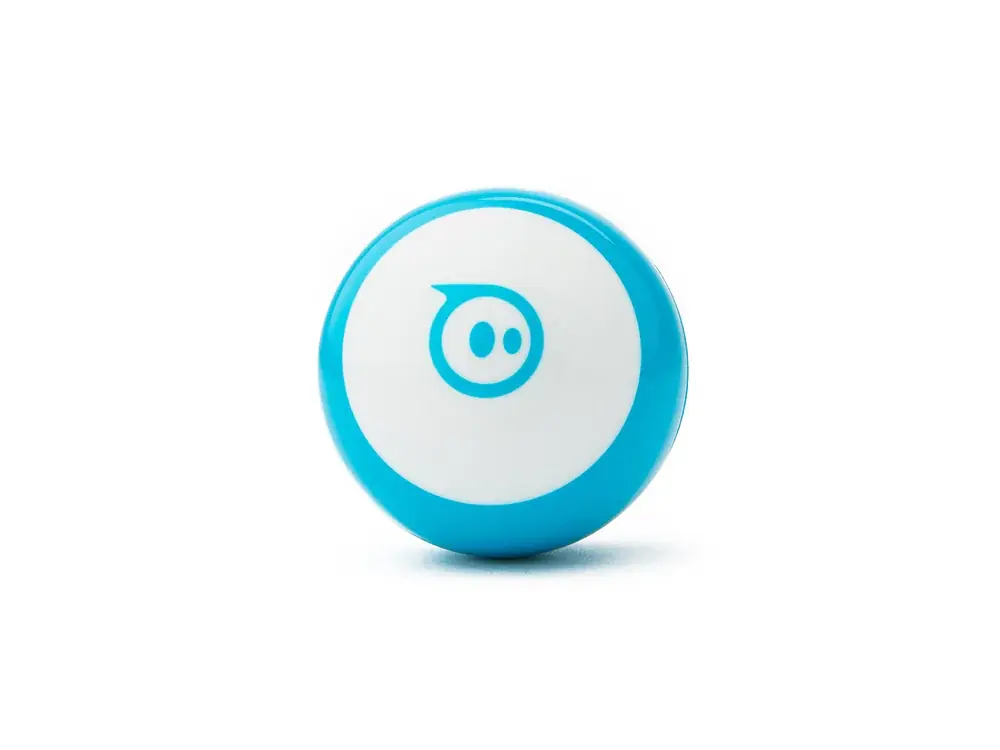
Sphero Mini
Best for: A first coding robot, a stocking stuffer, a sibling's second robot
$50 at sphero.com, seen Nov 4, 2026Blue, green or red, same price. Comes with cones and pins for mazes and races. Check price at Sphero
The cheapest way to find out if your kid likes coding a robot. Mini is the size of a ping-pong ball and uses the same Sphero Edu app as BOLT+, with Draw, Blocks and Text modes, so the skills carry over. Owners in a Sphero thread call it fun for a 7-year-old. It has no screen, matrix or light sensor like BOLT+, so there is less to code, and Sphero recommends adult supervision for kids under 8 because of small parts.
Buy it if
- You want to test interest before spending $150 or more
- You need a small gift
- The family already uses the Sphero Edu app
Skip it if
- Your child is under 8 with younger siblings around (small parts)
- You want sensors and a screen to code
Key specs
| Coding | Draw, Blocks and Text in the free Sphero Edu app |
|---|---|
| Sensors | Gyroscope, accelerometer, motor encoders, LED |
| Size | About the size of a ping-pong ball |
| Safety (company claim) | Adult supervision recommended under 8 |
| Needs | Phone or tablet |
Maker figures are company claims.
What owners say
Praise: fun and cheap, and it shares the BOLT+ app. Complaints: fewer sensors; small parts for under-8s.
Praise
- Owners in a Sphero thread call it fun for a 7-year-old
- Same app as BOLT+, so a kid can move up without relearning
Complaints
- Fewer sensors than BOLT+, so less to code
- Sphero recommends adult supervision under 8 because of small parts
Summarized from: r/Sphero: Which should I buy for my seven year old?
How do the picks compare side by side?
| Sphero BOLT+ Check price at Sphero | Best overall, ages 8 to 14 | $199 | Draw, Blocks, JavaScript and Python in the free Sphero Edu app | Phone, tablet or computer | Grades 3 to 10 |
|---|---|---|---|---|---|
| Sphero indi Check price at Sphero | Best screen-free start, ages 4 to 7 | $150 | Color tiles (no screen), then blocks in the free Sphero Edu Jr app | Nothing to start; a phone or tablet for the app | Pre-K and up |
| Makeblock mBot2 Check price at Makeblock | Best to build yourself, ages 8 and up | $149.99 | Blocks and Python in mBlock, plus Arduino C/C++ | Computer, tablet or phone for coding | 8 and up |
| Wonder Workshop Dash Check price at Wonder Workshop | Easiest app robot, ages 6 to 9 | $189.99 | Wonder and Blockly apps (blocks only) | Tablet or computer | 6 to 11 |
| Ozobot Evo Check price at Ozobot | Best for drawing and tabletop play | $175 | Color Codes with markers (no screen), Ozobot Blockly with 5 levels | Paper and markers; a computer or tablet for Blockly | Not listed |
| Sphero Mini Check price at Sphero | Best under $50 | $50 | Draw, Blocks and Text in the free Sphero Edu app | Phone or tablet | Not listed |
What do owners complain about most?
Across the 6 these picks with owner reports, these are the complaints that come up most. A good reason to check each one against how you'd use the robot.
- App, Wi-Fi or software3 of 6 picks (50%)
- Support, warranty or parts1 of 6 picks (17%)
- Battery or runtime1 of 6 picks (17%)
Counted from the owner feedback summarized on each pick, which links to the owner threads. A theme counts once per pick. Not a survey.
Short answer: the Sphero BOLT+ ($199) is the best coding robot for most kids 8 and up, because it goes from drawing a path all the way to Python. For ages 4 to 7, get the screen-free Sphero indi ($150). For a builder, get the Makeblock mBot2 ($149.99).
By the RobotDoorstep team. Based on brand spec sheets, parent and teacher threads and published reviews; we don't test coding robots ourselves. See how we research. Prices seen Nov 4, 2026 on each brand's own US store. No affiliate links: every price links to the page it came from.
Which coding robot fits which age?
Brands' age ranges are company claims. Owners mostly agree with them, with one exception: BOLT+ is sold from third grade, but parents say a 7-year-old needs an adult next to them to use it.
What owners report
The clearest pattern in parent threads is not about any one robot. In an r/daddit thread on coding robots, the advice that comes up again and again is that you have to sit down with your kid and code with them; one dad's Dash got played with twice and then sat on a shelf. A coding teacher on r/AskRobotics says the same about Ozobot Evo: kids enjoy it in class, but at home a child may lose interest without direction.
On which robot to buy, owners are fairly consistent. A STEM teacher names BOLT+ as the robot with the highest ceiling. In an r/Sphero thread about a 7-year-old, owners say indi is the easiest for young kids, Mini is fun and cheap, and BOLT needs more parent help at that age. A parent shopping for a 6-year-old on r/Sphero asked whether indi can do loops and conditions, which is the right question: it can't really, so it fits 4 to 7 best.
These are individual reports, not test results. We weigh them because the most common complaint, boredom, is one no spec sheet will warn you about.
Screen-free or app-based?
Start screen-free under 7: indi uses color tiles and Ozobot Evo uses marker codes on paper, and neither needs a device to begin. From about 8, an app-based robot teaches more, because blocks show loops, conditions and variables that tiles can't. BOLT+ and mBot2 then go on to typed Python.
How much should you spend?
$50 for Sphero Mini if you are not sure your kid will care. $150 to $200 for a robot they can grow with: indi, mBot2, Evo, Dash or BOLT+. Skip the class packs on the Sphero pages; they are for schools and cost $1,500 and up. None of these robots needs a subscription.
Privacy and safety
Dash has no camera, according to Wonder Workshop, and the Sphero robots and Ozobot Evo don't list one in their specs. Sphero recommends adult supervision for Mini under 8 because of small parts, and Ozobot Evo is about an inch wide, so keep both away from toddlers. If your family wants a robot that talks back and acts like a pet instead, see our robot pets guide; those use cameras and cloud services.
Buying one as a holiday gift?
Order early and check each page's shipping estimate, since stock on the single-robot kits can move in December. Ozobot lists holiday returns until Jan 31 for orders from Nov 1 to Dec 31. Set aside time to play together on the day it arrives; owners say that first week decides whether it gets used. For more ideas by budget, see our robot gift guide.
Related: Best robot pets and companion robots · Home humanoid release tracker · Fun robots hub
Frequently asked questions
What is the best coding robot for an 8-year-old?
The Sphero BOLT+ ($199 on sphero.com, seen Nov 4, 2026). It starts with drawing and blocks and goes up to JavaScript and Python, so it lasts for years. If your child would rather build the robot, the Makeblock mBot2 ($149.99) is the alternative, with a parent helping at first.
What is a good screen-free coding robot for a preschooler?
The Sphero indi ($150 for the Single Student Kit). Kids code it by laying color tiles on the floor, so it works before they can read. The Ozobot Evo also works without a screen, with marker codes on paper, but it suits kids a little older.
Do kids actually keep using coding robots?
Only with some help. Owners across parent threads say kids play for a week or two and then lose interest unless an adult sets challenges or works through the free lessons with them. Plan 20 to 30 minutes a week together for the first month.
Do coding robots need Wi-Fi or a subscription?
None of these six needs a subscription. Most need a phone, tablet or computer for the app; indi and Ozobot Evo can start with no device at all. Dash's tablet apps work offline once installed, according to Wonder Workshop.
Is a coding robot a good holiday gift?
Yes, if you match it to the child's age and plan to help at the start. Pick indi for 4 to 7, Dash for 6 to 9, BOLT+ or mBot2 for 8 and up, and Sphero Mini if you want to spend $50 to test interest. Ozobot lists holiday returns until Jan 31 for orders from Nov 1 to Dec 31.
Sources
- sphero.com: Sphero BOLT+ (seen 2026-11-04)
- sphero.com: indi Student Kit (seen 2026-11-04)
- sphero.com: Sphero Mini (seen 2026-11-04)
- makeblock.com: mBot2 (seen 2026-11-04)
- moravia-education.com: Dash (Wonder Workshop's store) (seen 2026-11-04)
- ozobot.com: Evo Entry Kit (seen 2026-11-04)
- Sphero support: BOLT vs BOLT+ (seen 2026-11-04)
- r/daddit: Anybody buy their kids a coding robot? (seen 2026-11-04)
- r/Sphero: Which should I buy for my seven year old? (seen 2026-11-04)
- r/AskRobotics: Help for son (teacher on Ozobot Evo) (seen 2026-11-04)